
Best AI Product Photography Tools in 2026: What They Cost
Key Takeaways
- →AI product photography handles background replacement, lifestyle scenes and color variations well, and struggles with fine text, reflections and exact product details.
- →Prices run from free plans on Ideogram and ComfyUI up to $120 a month for Midjourney's Mega tier, the highest published consumer tier in the article.
- →Pebblely lists Lite at $9 a month for 30 images, Basic at $19 a month for 200 images and Pro at $39 a month for 500 images.
- →Purpose-built apps like Photoroom, Claid.ai and Pebblely suit catalog volume, while Midjourney, Firefly, Ideogram and ChatGPT's image tool suit more creative work.
- →Amazon advises a white background at RGB 255, 255, 255 with the product filling 85% or more of the frame, and does not publish a rule about AI-generated images.
On this page⌄
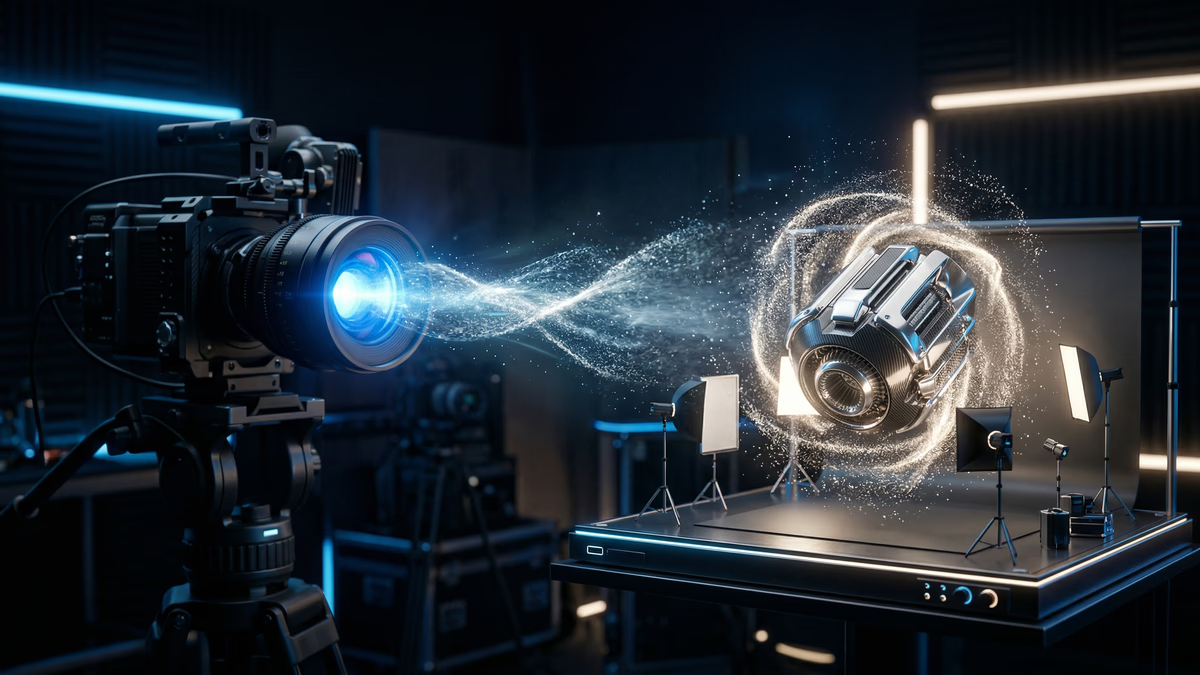
AI product photography takes one clean shot of your item and turns it into whatever scenes you need: a white background for a marketplace listing, a kitchen counter for a lifestyle shot, a holiday scene for a seasonal campaign. In 2026 the best choices fall into three buckets: dedicated apps built for e-commerce sellers (Photoroom, Pebblely, Claid.ai), general image generators when you want more creative freedom (Midjourney, Adobe Firefly, Ideogram, ChatGPT's image tool), and open pipelines such as ComfyUI for teams pushing through high volumes with a locked-in look. Prices stretch from free plans, on Ideogram and ComfyUI, up to $120 a month for Midjourney's Mega plan (Midjourney plans), the highest published consumer tier among the tools below. Billing splits roughly evenly: Photoroom's API, Claid.ai and Ideogram charge per image or per credit, while Midjourney, ChatGPT Plus and Adobe's Photography plan are flat monthly subscriptions. If you have not picked your underlying image model yet and want to skip the photography-specific apps, our comparison of AI image generators for business lays out which model suits which task.
A conventional product shoot, meaning a photographer, a studio, lighting and props, is one of the larger recurring costs in e-commerce, and it comes back each time you add a colorway, change packaging, or want a seasonal scene. AI product photography strips away most of that recurring spend, because you build new scenes from a photo you already own rather than arranging another shoot. The quality gap between AI-made and studio-shot images has narrowed sharply, though it has not closed everywhere, and the sections below point out exactly where it still appears.
What AI Product Photography Can (and Cannot) Do
What it does well
Background replacement and scene generation. Take a product photo on a white background and drop it into a fresh setting, a kitchen counter, a forest trail, a minimalist desk. The tool builds a photorealistic environment that lines up with the product's lighting and shadows.
Lifestyle shots from flat-lays. A bottle of shampoo on white becomes a bottle of shampoo on a bathroom shelf with morning light and a folded towel beside it.
Color and material variations. One product shot in blue can be produced in red, green, black or white with no reshoot. This works well for apparel, accessories, furniture and packaged goods.
Virtual model shots and try-on. Tools built for apparel (Zmo.ai, Vue.ai, and custom ComfyUI setups) place clothing on AI-generated models of different body types and poses without hiring a model. Fabric drape and skin texture have improved enough that this now holds up at normal viewing sizes.
Batch variation. Generate several versions of the same product image in different scenes from one source photo, which is useful for seasonal campaigns or testing which scene performs better.
What it struggles with
Fine text and small logos. Rendering exact text on a product, brand names, nutrition labels, small print, is still unreliable. Use a source photo where the text is already correct and composite it in rather than letting the model draw it.
Reflections and transparency. Glass, chrome and translucent materials often need manual touch-up. Models can misplace reflections or handle light passing through a transparent object incorrectly.
Exact product accuracy. If your product has specific stitching, hardware or button placement, the model may not reproduce it precisely. Start from a real photo and change the context, not the product itself.
Regulated categories. Pharmaceuticals, food labels and safety equipment often have image standards tied to compliance. Traditional photography is the safer choice there; an inaccurate AI-generated label is a real regulatory risk, not just a quality issue.
Tool Comparison: The 2026 Market
Purpose-built for e-commerce product photography
Photoroom is aimed at Shopify sellers and small e-commerce brands, with background removal, AI scene generation, batch processing and a Shopify integration. Its consumer plans are named Pro, Max and Ultra, priced by AI-credit allowance and monthly export volume, plus an Enterprise tier with custom pricing for high volume. Its API prices background removal from $0.02 per image at the basic tier. Check Photoroom's API pricing and consumer plans, both checked 2026-09-14, for current monthly rates, since credit allowances and prices change.
Claid.ai (by Let's Enhance) is built for API-level automation across large catalogs, with batch processing for thousands of images and automatic enhancement. It bills on a credit-based subscription model rather than a flat per-image price. Check Claid.ai pricing, checked 2026-09-11, for current tiers before committing to a plan.
Pebblely targets social media and marketing teams that need lifestyle shots fast, with drag-and-drop scene generation and no design skill required. Pebblely's pricing page (checked 2026-09-14) lists Lite at $9/month for 30 images, Basic at $19/month for 200 images, and Pro at $39/month for 500 images, all with the same scene library and prompts.
General-purpose image generators
Midjourney produces the strongest aesthetic quality for aspirational and luxury-style product imagery, though it gives you less precise control over exact product placement than a purpose-built tool, and there is no free tier. Its four subscription tiers are Basic at $10, Standard at $30, Pro at $60 and Mega at $120 a month, and they differ mainly in how much fast-generation time you get (Midjourney plans, checked 2026-09-14). Confirm them before subscribing.
ChatGPT's image tool is useful for quick, conversational edits, "move the product to the left," "make the background warmer", and is included in a ChatGPT Plus subscription; see ChatGPT's pricing page for the current rate.
Adobe Firefly, accessed through Photoshop's Generative Fill, is the choice for photographers who already edit in Photoshop and want to touch up or extend an existing product photo rather than generate one from scratch. Photoshop is included in Adobe's Photography plan alongside Lightroom. Adobe's plan page sets its price by region, so check the figure for your country there.
Ideogram is worth checking specifically for products where text on packaging needs to render correctly, since text accuracy is its main strength relative to the other generators. It has a free tier and paid plans on a credit system; check Ideogram pricing, checked 2026-09-11, for current prices, since its tier pricing has changed more than once in the last year.
Custom pipelines for scale
ComfyUI running Stable Diffusion or FLUX gives studios processing large volumes the most control: a fixed, reproducible workflow where only the product photo changes between runs. It is free and open source, so the cost is your own GPU time (rented GPU time is commonly billed by the hour) plus the engineering time to build and maintain the workflow. This is the setup with the steepest learning curve of everything on this list.
For the technical, workflow-level version of this (specific ComfyUI node setups, batching a whole catalog through one pipeline), see our guide to scaling product photography with AI. If you are also automating the copy that goes with these images, generating product descriptions at scale covers that half of the catalog pipeline.
Tool Comparison at a Glance
| Tool | Category | Starting price | Best for |
|---|---|---|---|
| Photoroom | Purpose-built for e-commerce | Background removal API from $0.02 per image (API pricing); consumer plans priced by AI-credit allowance | Shopify sellers doing background removal and batch scene generation |
| Claid.ai | Purpose-built for e-commerce | Credit-based subscription (pricing) | API-level automation across large catalogs |
| Pebblely | Purpose-built for e-commerce | $9/month for 30 images (Lite plan, pricing) | Social media and marketing teams needing fast lifestyle shots |
| Midjourney | General-purpose image generator | $10 to $120/month, no free tier (plans) | Aspirational or luxury-style imagery with the strongest aesthetic quality |
| ChatGPT's image tool | General-purpose image generator | Included in ChatGPT Plus (pricing) | Quick, conversational single-image edits |
| Adobe Firefly (Generative Fill in Photoshop) | General-purpose image generator | Included in Adobe's Photography plan; price varies by region | Touching up or extending a photo you already shot, for photographers already in Photoshop |
| Ideogram | General-purpose image generator | Free tier plus a paid credit system (pricing) | Packaging or labels where the text has to render correctly |
| ComfyUI (Stable Diffusion or FLUX) | Custom pipeline | Free and open source; cost is your own GPU time plus engineering time | High-volume catalogs that need one fixed, reproducible workflow |
Which Approach Fits Your Situation
- Marketplace listing on a plain background, at catalog volume: a purpose-built app like
Photoroom, since it controls the background exactly and meets requirements like Amazon's white
background rule well.
- Aspirational or luxury-style imagery, and precise product placement is not the priority:
Midjourney, which produces the strongest aesthetic quality of the general-purpose generators.
- You already edit in Photoshop and want to touch up or extend a real photo, not generate one
from scratch: Adobe Firefly through Generative Fill.
- Packaging or labels where the text on the product has to render correctly: Ideogram, since
text accuracy is its main strength relative to the other generators.
- A full catalog that needs one locked, reproducible look, and you can absorb the steepest
learning curve on this list: ComfyUI running Stable Diffusion or FLUX.
- Quick, conversational single edits, like moving a product or warming a background: ChatGPT's
image tool.
- Regulated categories (pharmaceuticals, food labels, safety equipment), luxury categories where
perceived craftsmanship is part of what you are selling, products where texture is the actual
selling point, or hero images built for billboards or print: traditional photography stays the
safer choice, per this guide.
Workflows by Product Type
Apparel and fashion
The challenge is making clothing look natural on a body: wrinkles, drape and fit have to be convincing. Photograph each garment flat on white (front, back, detail shots), then run it through a virtual try-on tool (Zmo.ai, Vue.ai, or a custom ComfyUI pipeline) to place it on an AI model, generate the lifestyle setting, and use Adobe Firefly for any touch-up on drape or shadow. Always check the fabric texture and fit before publishing; unrealistic draping is the most common failure here.
Food and beverage
AI still struggles with the "this looks delicious" factor that sells food. Photograph the actual packaging on white for the hero shot, and use AI only for the lifestyle context around it, a table setting, a kitchen scene. Do not use AI-generated textures as your primary food image; keep real photography for the food itself and use AI for the environment around it.
Electronics and gadgets
Screens, LEDs and reflective housings are the hard part. Photograph the product from multiple angles under even lighting, use AI to generate context shots (on a desk, in a home office), and add screen content with Generative Fill rather than letting a generator invent it. Check every port, button and design detail against the real product afterward, since models can add or drop small features.
Furniture and home decor
Scale and material texture have to read correctly in the final room shot. Photograph the piece on a plain background with detail shots of material texture, then generate several room styles from that one source photo. Midjourney tends to produce the strongest interior renders here. Always check proportions; getting the scale of a piece wrong relative to the room is the most common error.
Jewelry and accessories
Keep the actual product from a real macro photograph and only replace the background and setting. Never let a generator redraw the jewelry or accessory itself; fine detail and perceived value are exactly what gets lost. Adobe Firefly is the better tool for precise compositing and shadow correction here.
E-Commerce Platform Requirements
Amazon advises shooting against a white background at RGB 255, 255, 255, which it calls an industry standard and its own default, and having the product fill 85% or more of the frame (Amazon seller guidance, checked 2026-09-11). Treat those as strong guidance rather than the letter of the policy: the binding image specification lives in Seller Central behind a seller login, so check it there before you build a catalogue around these numbers. AI-generated white-background images suit this well, since the tool controls the background exactly. Amazon does not publish a rule about AI-generated or AI-enhanced images on its public pages, so verify its current position in Seller Central rather than assuming misleading representations of the product.
Shopify does publish hard limits: images can be up to 5000 x 5000 px or 25 megapixels, each file must be under 20 MB, and the accepted formats are PNG, JPEG, PSD, TIFF, BMP, GIF, SVG, HEIC and WebP (Shopify product media, checked 2026-09-11). It says nothing about background or composition, so once you are inside those specs the main thing worth doing is keeping a consistent style across the whole catalog rather than mixing scene styles product to product.
Instagram Shopping and other social commerce publish less than you would expect. Meta's catalogue specification covers format and size only: the main image must be JPEG or PNG, at least 500 x 500 px, and under 8 MB (Meta catalogue fields, checked 2026-09-11). Its detailed image guidance sits behind a Facebook login, and it publishes nothing about whether a lifestyle scene or a white background performs better. Shoot both, and let your own click data decide rather than a rule of thumb.
Is the Quality Good Enough?
For catalog-scale and seasonal work, the honest answer is usually yes: a well-generated white-background or lifestyle image from a current-generation tool holds up at normal browsing size. Traditional photography still has a real edge in a few places: luxury categories where perceived craftsmanship is part of what you're selling (fine jewelry, watches, high-end fashion), products where texture is the actual selling point (leather, fabric, artisanal goods), and hero images built for large-format use like billboards or print ads, where AI artifacts are more visible at scale. Outside those cases, AI product photography is a reasonable default for catalog volume, seasonal variation and fast iteration.
Step-by-Step: Your First AI Product Photo
- Capture a clean source photo. A smartphone photo on a white background with even lighting works, using a small tabletop lightbox if you have one. Shoot from the angle you want in the final image, at the highest resolution the camera allows.
- Remove the background. Upload to Photoroom, remove.bg or Adobe Express, check the edges for artifacts, and save as a transparent PNG.
- Generate the scene. Upload the cutout to your chosen tool and describe the scene directly: "product on a marble kitchen counter, soft morning light, minimalist Scandinavian kitchen in background, shallow depth of field." Generate a few variations and pick the best.
- Check and correct. Verify product accuracy (colors, proportions, small details), check that shadows and reflections match the generated scene, and fix anything wrong in Photoshop or Firefly before moving on.
- Export to spec. Match the file format and size limit your platform requires. Shopify caps a product image at 20 MB and 5000 x 5000 px (Shopify product media), and Meta's catalogue caps its main image at 8 MB (Meta catalogue fields). Amazon publishes a preferred minimum resolution but no public maximum, so check your current limit in Seller Central before uploading. Then publish.
Brand Consistency at Scale
The harder problem with AI product photography is not any single image's quality, it's keeping every image on-brand once you're generating hundreds of them. A few things help:
- Write down a style guide before you generate anything: lighting direction, color temperature, background style, mood, and reuse those exact terms in every prompt.
- Save and reuse prompts once one produces your brand's look, so variation comes from the product, not from re-writing the prompt each time.
- Use ComfyUI if you need this locked down hard, a fixed workflow where only the product image changes and every other setting (style, lighting, composition) stays constant across the whole catalog.
- Apply the same post-processing pass to every image (the same color grading, the same export settings) to smooth over small differences between generations.
We have run this pipeline end to end on four products of our own: the face serum product shoot, a luxury handbag, a perfume bottle and a cold coffee bottle. These were our own test pieces rather than client commissions, and the finished shots are in our portfolio so you can judge the output before you judge the method. Our AI product photography service covers this end to end if you would rather hand the whole thing off.
Keep Reading
See the technical, workflow-level version of this in our guide to scaling product photography with AI.
Sources
- Midjourney pricing (primary source, checked 2026-09-14)
- Pebblely pricing (primary source, checked 2026-09-14)
- Photoroom API pricing (primary source, checked 2026-09-14)
Frequently Asked Questions
Is AI product photography good enough for Amazon?+
What is the best AI tool for product photography in 2026?+
How do I maintain brand consistency with AI product photos?+
Need help building an AI product photography pipeline for your brand? Let's design your workflow.
Book a Strategy CallAbout the Author

Rajat Gautam
AI Engineer and Consultant
My work goes far beyond recommending tools - I design AI systems that integrate directly into your workflows, eliminate inefficiencies, and deliver measurable business impact. Every solution I build is tailored, practical, and built with long-term scalability in mind.
Need help with this?
Related Topics
Related Articles
Ready to transform your business with AI? Let's talk strategy.
Book a Free Strategy Call