
Key Takeaways
- →AI product photography saves 85-97% vs traditional studio shoots while meeting Amazon and Shopify standards
- →83% of consumers cannot distinguish AI-generated lifestyle photos from traditional photography
- →Best tools by need: Photoroom (easy), Midjourney (quality), Claid.ai (volume), Adobe Firefly (precision), ComfyUI (control)
- →Always start with a real product photo - let AI generate the context, not the product itself
- →Brand consistency requires saved prompts, fixed workflows, and consistent post-processing across all images
The Complete Guide to AI Product Photography in 2026
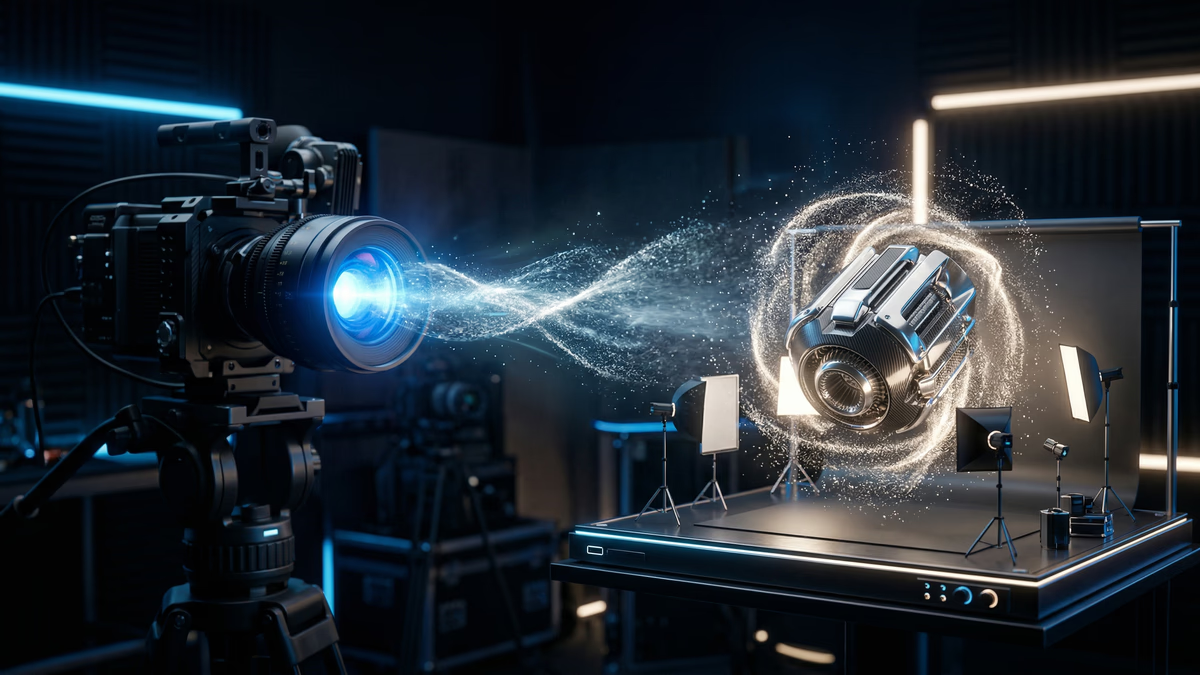
Product photography is one of the largest costs in e-commerce. A single product shoot - photographer, studio, lighting, props, models, editing - costs $500-$5,000. For a catalog of 500 SKUs, that is $250,000-$2.5 million. And every time you launch a new colorway, update packaging, or need seasonal lifestyle shots, you pay again.
AI product photography cuts these costs by 80-95% while delivering images that meet the quality standards of Amazon, Shopify, and every major e-commerce platform. The technology has matured dramatically - in 2024, AI product photos looked noticeably artificial. In 2026, the gap between AI-generated and studio-shot product images is imperceptible to consumers in controlled studies.
This guide covers everything: the tools, the techniques, the workflows, the quality benchmarks, and the specific approaches for different product types. Whether you are a solo Shopify seller or a brand with 10,000 SKUs, there is an AI product photography workflow that works for your budget and volume.
What AI Product Photography Can (and Cannot) Do
What It Does Well
Background replacement and scene generation. Take a basic product photo on a white background and place the product in any setting: a kitchen counter, a forest trail, a minimalist desk, a holiday scene. The AI generates photorealistic environments that match the product's lighting, shadows, and reflections.
Lifestyle shots from flat-lays. Transform a flat product photo into a lifestyle context. A bottle of shampoo on white becomes a bottle of shampoo on a marble bathroom shelf with soft morning light and a folded towel beside it.
Color and material variations. Have one product shot in blue? AI generates the same shot in red, green, black, and white without reshooting. This works remarkably well for apparel, accessories, furniture, and packaged goods.
Model generation and virtual try-on. Generate model shots without hiring models. AI places clothing on realistic virtual models of different body types, ethnicities, and poses. Quality has improved dramatically - skin texture, fabric drape, and body proportions are now convincing.
Scale and batch processing. Generate 100 variations of a product image in minutes. Need the same product in 10 different scenes for seasonal campaigns? AI generates all of them from a single source photo.
A/B testing at scale. Generate 5 different lifestyle contexts for the same product and test which one converts best. The cost of testing is near-zero when images are AI-generated.
What It Struggles With
Fine text and logos. AI still struggles to perfectly render text on products - brand names, nutritional labels, and small print can appear distorted. Always use source photos where the text is already visible, and composite them carefully.
Complex reflections and transparency. Glass bottles, chrome surfaces, and translucent materials require extra attention. The AI sometimes generates incorrect reflections or fails to handle light passing through transparent materials. These need manual touchup or specialized prompting.
Precise product accuracy. If your product has specific design details - stitching patterns, button placement, hardware positions - the AI may not reproduce them exactly. Always start with a real product photo and modify the context, not the product itself.
Regulatory compliance images. Products with regulatory requirements for specific image standards (pharmaceuticals, food labels, safety equipment) should still use traditional photography. The risk of AI-generated inaccuracies is not worth the compliance exposure.
Tool Comparison: The 2026 Landscape
Tier 1: Professional AI Product Photography Tools
These are purpose-built for e-commerce product photography:
Photoroom
- Best for: Shopify sellers and small e-commerce brands
- Pricing: Free tier (limited), Pro at $9.99/month, Business at $29.99/month
- Strengths: One-click background removal, AI scene generation, batch processing, Shopify integration, mobile app
- Limitations: Less customizable than generative AI tools, limited to predefined scene styles
- Quality: 8/10 - excellent for standard e-commerce, not suitable for luxury brands
Claid.ai (by Let's Enhance)
- Best for: Brands needing API-level automation for large catalogs
- Pricing: $0.10-$0.50 per image depending on volume
- Strengths: API-first, batch processing for thousands of images, automatic quality enhancement, background generation
- Limitations: Less creative control than generative AI platforms
- Quality: 8/10 - consistent and reliable for catalog-scale processing
Pebblely
- Best for: Social media and marketing teams needing lifestyle shots quickly
- Pricing: Free tier (limited), Pro at $19/month
- Strengths: Drag-and-drop simplicity, good scene variety, fast generation, no design skills needed
- Limitations: Limited to the scenes and styles available in the platform
- Quality: 7/10 - great for social media, adequate for e-commerce
Tier 2: General-Purpose AI Image Generators
More powerful and flexible, but require more skill:
Midjourney v7
- Best for: Brands wanting the highest aesthetic quality
- Pricing: $10-$60/month depending on plan
- Strengths: Best-in-class visual quality, excellent at luxury and aspirational imagery, strong community of product photography prompts
- Limitations: Less precise control over product placement, requires prompt engineering skill, no API
- Quality: 9.5/10 for aesthetics - but product accuracy depends on prompt skill
ChatGPT with DALL-E 3 / GPT-4o image generation
- Best for: Quick iterations and conversational image editing
- Pricing: Included in ChatGPT Plus ($20/month)
- Strengths: Conversational editing ("move the product to the left," "make the background warmer"), good for brainstorming, easy to use
- Limitations: Less consistent quality than Midjourney, limited batch processing
- Quality: 8/10 - good for most use cases, excellent for rapid iteration
Adobe Firefly (Photoshop AI)
- Best for: Professional photographers adding AI to existing Photoshop workflows
- Pricing: Included in Creative Cloud ($22.99/month)
- Strengths: Generative Fill for precise editing, seamless integration with Photoshop, commercially licensed, best for touchup and modification
- Limitations: Not a standalone generation tool, requires existing product photo
- Quality: 9/10 - professional-grade when combined with manual editing
Ideogram 3.0
- Best for: Products with text and logos that need to render correctly
- Pricing: Free tier, Pro at $8/month
- Strengths: Best-in-class text rendering in images, good product placement, improving rapidly
- Limitations: Less mature ecosystem than Midjourney
- Quality: 8/10 - especially strong when text accuracy matters
Tier 3: Advanced Custom Pipelines
ComfyUI + Stable Diffusion / FLUX
- Best for: Studios processing thousands of images with consistent style
- Pricing: Free (open source) + GPU costs ($0.50-$2.00/hour)
- Strengths: Maximum control, reproducible workflows, batch automation, fine-tuning on your products
- Limitations: Requires technical setup, ML engineering knowledge, and ongoing maintenance
- Quality: 9/10 when well-configured - but requires significant expertise
For the foundational concepts behind AI image generation, see our guide on scaling product photography with AI. Brands managing large catalogs will also want to read how AI product descriptions at scale pairs with AI photography for a fully automated product content pipeline.
Workflows by Product Type
Apparel and Fashion
The challenge: Clothing needs to look natural on bodies. Wrinkles, drape, and fit must be convincing.
Recommended workflow:
- Photograph each garment flat-lay on white background (front, back, detail shots)
- Use a virtual try-on tool (Zmo.ai, Vue.ai, or custom ComfyUI pipeline) to place garments on AI models
- Generate lifestyle shots in relevant settings (casual for streetwear, studio for formal)
- Use Adobe Firefly for touchup: correct any drape issues, adjust shadows, fix color accuracy
Tools: Zmo.ai or Vue.ai for model generation + Adobe Firefly for touchup
Cost per SKU: $2-$10 (vs. $200-$500 for traditional model photography)
Quality consideration: Always verify that fabric texture, color accuracy, and fit look natural. AI sometimes generates unrealistic draping.
Food and Beverage
The challenge: Food photography relies on texture, moisture, and appetite appeal. AI struggles with the "delicious" factor.
Recommended workflow:
- Photograph the actual product (packaging) on white background with good lighting
- Use AI to generate serving suggestions and lifestyle contexts (product on a table with meal prep, product in a kitchen scene)
- For the food itself: use real food photography for hero shots, AI for supplementary lifestyle contexts
- Use Midjourney or DALL-E for inspirational/mood shots that do not need to show exact food textures
Tools: Photoroom for packaging shots + Midjourney for lifestyle scenes
Cost per SKU: $3-$15
Quality consideration: Never use AI-generated food textures for primary product images. Use real food photos and AI-generated environments.
Electronics and Gadgets
The challenge: Screens, LEDs, reflective surfaces, and precise design details.
Recommended workflow:
- Photograph the product from multiple angles on white background (use a lightbox for even lighting)
- Use AI to generate context shots: product on a desk, in a home office, in a living room
- Use Adobe Generative Fill to add screen content to devices
- For reflective surfaces, manually adjust reflections in Photoshop after AI generation
Tools: Claid.ai for catalog images + Adobe Firefly for screen compositing
Cost per SKU: $5-$20
Quality consideration: Verify that all ports, buttons, and design details match the actual product. AI may add or remove features.
Furniture and Home Decor
The challenge: Scale, material texture, and room context must be convincing.
Recommended workflow:
- Photograph furniture on white or simple background (capture material texture in detail shots)
- Use AI to generate room scenes: the couch in a modern living room, the lamp on a bedside table, the rug in an open-concept space
- Generate multiple room styles (modern, traditional, minimalist, Scandinavian) from the same product photo
- Use Midjourney for the highest-quality room renders - it excels at interior design aesthetics
Tools: Midjourney for room scenes + Photoroom for white-background catalog shots
Cost per SKU: $5-$25
Quality consideration: Verify proportions. AI sometimes makes furniture too large or too small relative to the room.
Jewelry and Accessories
The challenge: Fine details, reflections, and the need to convey perceived value.
Recommended workflow:
- Invest in high-quality source photos - use macro photography for detail shots
- Use AI for background and context (jewelry on a marble surface, watch on a wrist, sunglasses on a model face)
- Keep the product from the original photo - only replace the background and context
- Use Adobe Firefly for precise compositing and shadow correction
Tools: Adobe Firefly (compositing) + Midjourney (aspirational lifestyle scenes)
Cost per SKU: $3-$15
Quality consideration: Never let AI generate or modify the jewelry itself. The product must be from a real photograph to preserve detail accuracy.
E-Commerce Platform Requirements
Every platform has specific image requirements. AI-generated images must meet these:
Amazon
- Main image: Pure white background (RGB 255,255,255), product fills 85%+ of frame
- AI suitability: Excellent - AI background removal and white background generation is perfect for Amazon main images
- Lifestyle images: Allowed in secondary slots. AI-generated lifestyle shots are compliant as long as the product is accurately represented
- Policy note: Amazon allows AI-enhanced images but prohibits misleading representations
Shopify
- No specific requirements beyond quality and consistency
- AI suitability: Excellent - full creative freedom
- Recommended: Consistent style across all product images. Use the same AI workflow for every product.
Instagram Shopping and Social Commerce
- Square (1:1) and portrait (4:5) formats
- AI suitability: Excellent - AI-generated lifestyle shots outperform white-background images on social platforms
- Recommended: Generate platform-specific images. What works on Amazon (white background) does not work on Instagram (lifestyle context).
Cost Comparison: AI vs. Traditional Photography
For a catalog of 200 SKUs, each needing 5 images (main + 4 lifestyle):
| Approach | Cost per Image | Total (1,000 images) | Timeline |
|---|---|---|---|
| Professional studio shoot | $30-$100 | $30,000-$100,000 | 4-8 weeks |
| Freelance photographer | $15-$50 | $15,000-$50,000 | 3-6 weeks |
| AI product photography (DIY) | $0.50-$3 | $500-$3,000 | 1-2 weeks |
| AI product photography (agency) | $3-$10 | $3,000-$10,000 | 1-3 weeks |
The cost savings are 85-97% depending on the approach. But cost is not the only advantage:
- Speed: 1,000 images in 1-2 weeks vs. 4-8 weeks
- Iteration: Change your mind about the background? Regenerate in minutes, not weeks
- Seasonal flexibility: Holiday shots in July, summer shots in January - no scheduling constraints
- A/B testing: Generate 5 variations and test which converts best
Quality Benchmarks: Is It Good Enough?
The question every e-commerce brand asks: will customers notice?
Consumer studies in 2025-2026 show:
- 83% of consumers cannot distinguish AI-generated product lifestyle photos from traditional photography
- AI-generated images perform within 5% of conversion rates compared to professional studio photos
- For white-background images (Amazon main images), AI-enhanced photos actually outperform traditional photos because lighting and color consistency is more reliable
Where traditional photography still wins:
- Luxury brands where perceived craftsmanship matters (fine jewelry, watches, luxury fashion)
- Products where texture is the primary selling point (fabrics, leather goods, artisanal items)
- Hero images for advertising campaigns (billboards, magazine ads, high-budget marketing)
Where AI wins:
- Catalog-scale photography (hundreds or thousands of SKUs)
- Seasonal and promotional variations
- A/B testing different presentations
- Rapid launches and product updates
- Budget-constrained businesses
For the broader industry impact, see our article on the end of stock photography and what it means for visual content. Brands ready to hand off their entire product photography production to a team can explore our AI graphic design services.
Step-by-Step: Your First AI Product Photo
Let's walk through the complete process:
Step 1: Capture a clean source photo
- Use a smartphone with a white background (a $20 lightbox works perfectly)
- Ensure even lighting - no harsh shadows
- Capture from the angle you want in the final image
- Take the highest resolution possible
Step 2: Remove the background
- Upload to Photoroom, remove.bg, or Adobe Express
- Verify clean edges around the product - fix any artifacts
- Save as PNG with transparent background
Step 3: Generate the scene
- Upload the cutout to your AI tool (Photoroom, Pebblely, or Midjourney with image input)
- Describe the scene you want: "Product on a marble kitchen counter with soft natural morning light, minimalist Scandinavian kitchen in background, shallow depth of field"
- Generate 3-5 variations and select the best
Step 4: Refine and touchup
- Check product accuracy: all details, colors, and proportions correct?
- Check lighting consistency: do shadows and reflections match the scene?
- Use Adobe Firefly or Photoshop for any corrections
- Ensure the final image meets your platform's specifications (size, format, background color)
Step 5: Export and upload
- Export in the required format (JPEG for web, PNG for transparency)
- Optimize file size for web performance (under 500KB for most e-commerce platforms)
- Upload to your e-commerce platform
For creating product photos without any photographer at all, see our step-by-step guide to creating product photos without a photographer.
Brand Consistency at Scale
The biggest challenge with AI product photography is not quality - it is consistency. When you generate images one at a time, each one looks slightly different in style, lighting, and mood.
How to maintain consistency:
1. Create a style guide for AI. Document: preferred lighting direction, color temperature, background style, prop preferences, and mood. Use these specifications in every prompt.
2. Use saved prompts and templates. Once you find a prompt that produces your brand's look, save it and reuse it for every product. Variation comes from the product, not the style.
3. Use ComfyUI for maximum consistency. Build a fixed workflow where only the product image and product name change. Every other parameter (style, lighting, scene composition) stays locked.
4. Post-process with a consistent filter. Apply the same color grading and editing adjustments to every image. This unifies images that may have slight AI-generated variations.
5. Batch generate, then curate. Generate 5 images per product and select the one that best matches your brand standards. At $0.50-$3 per image, generating extras is cheap insurance for consistency.
Frequently Asked Questions
Is AI product photography good enough for Amazon?
Yes. AI-generated product photos meet Amazon's image requirements when done correctly. For main images, AI background removal and white-background generation produces images that exceed Amazon's standards for consistency and lighting. For lifestyle images (slots 2-7), AI-generated scenes are compliant and perform within 5% of traditional photography for conversion rates. Just ensure the product is accurately represented - Amazon prohibits misleading images.
What is the best AI tool for product photography in 2026?
It depends on your needs. For quick, easy product photos: Photoroom ($9.99/month). For the highest visual quality: Midjourney v7 ($10-$60/month). For large catalog automation: Claid.ai ($0.10-$0.50/image). For professional editing: Adobe Firefly in Photoshop ($22.99/month). For maximum control and consistency: ComfyUI with Stable Diffusion (free + GPU costs). Most brands use 2-3 tools: one for batch processing and one for hero shots.
How do I maintain brand consistency with AI product photos?
Create a detailed AI style guide documenting lighting direction, color temperature, scene style, and mood. Use the same prompts and templates for every product. Build fixed workflows in ComfyUI where only the product image changes. Apply consistent color grading in post-processing. Generate multiple variations per product and curate the most on-brand option. These practices maintain consistency even across thousands of SKUs.
Keep Reading
Learn how to scale product photography across your entire catalog. See how to create product photos without a photographer from scratch. Read about the end of stock photography and what it means for your brand. And explore how AI is transforming e-commerce beyond just photography.
Frequently Asked Questions
Is AI product photography good enough for Amazon?+
What is the best AI tool for product photography in 2026?+
How do I maintain brand consistency with AI product photos?+
Need help building an AI product photography pipeline for your brand? Let's design your workflow.
Book a Strategy CallRelated Topics
Related Articles
Ready to transform your business with AI? Let's talk strategy.
Book a Free Strategy Call