Automation

Best AI Tools for Small Business in 2026 (Tested & Ranked)

Rajat Gautam11 min readUpdated
Share

Key Takeaways

  • Most small businesses need 4 to 8 AI tools across writing, images, video, automation, support, and analytics.
  • Total stack cost: $200 to $400/month for a 5 to 50 person business.
  • Highest-ROI picks: customer support automation, workflow automation, writing assistance.
  • Default to Claude Opus 4.8 for writing in 2026 (lowest hallucination, best long-form).
  • Custom AI agents make sense above ~1,000 workflow items/month or when data cannot leave your VPC.
Best AI Tools for Small Business in 2026 (Tested & Ranked)

I test AI tools obsessively. Not in a lab with synthetic benchmarks, but in real client projects where the tool either delivers ROI or gets replaced. This list comes from two years of deploying AI across dozens of small businesses. Every tool here has earned its spot.

The AI tools market is overwhelming. Over 15,000 AI tools launched in 2025 alone, and most of them are thin wrappers around the same handful of APIs. I'm going to cut through the noise and give you the tools that actually matter, organized by what they do for your business.

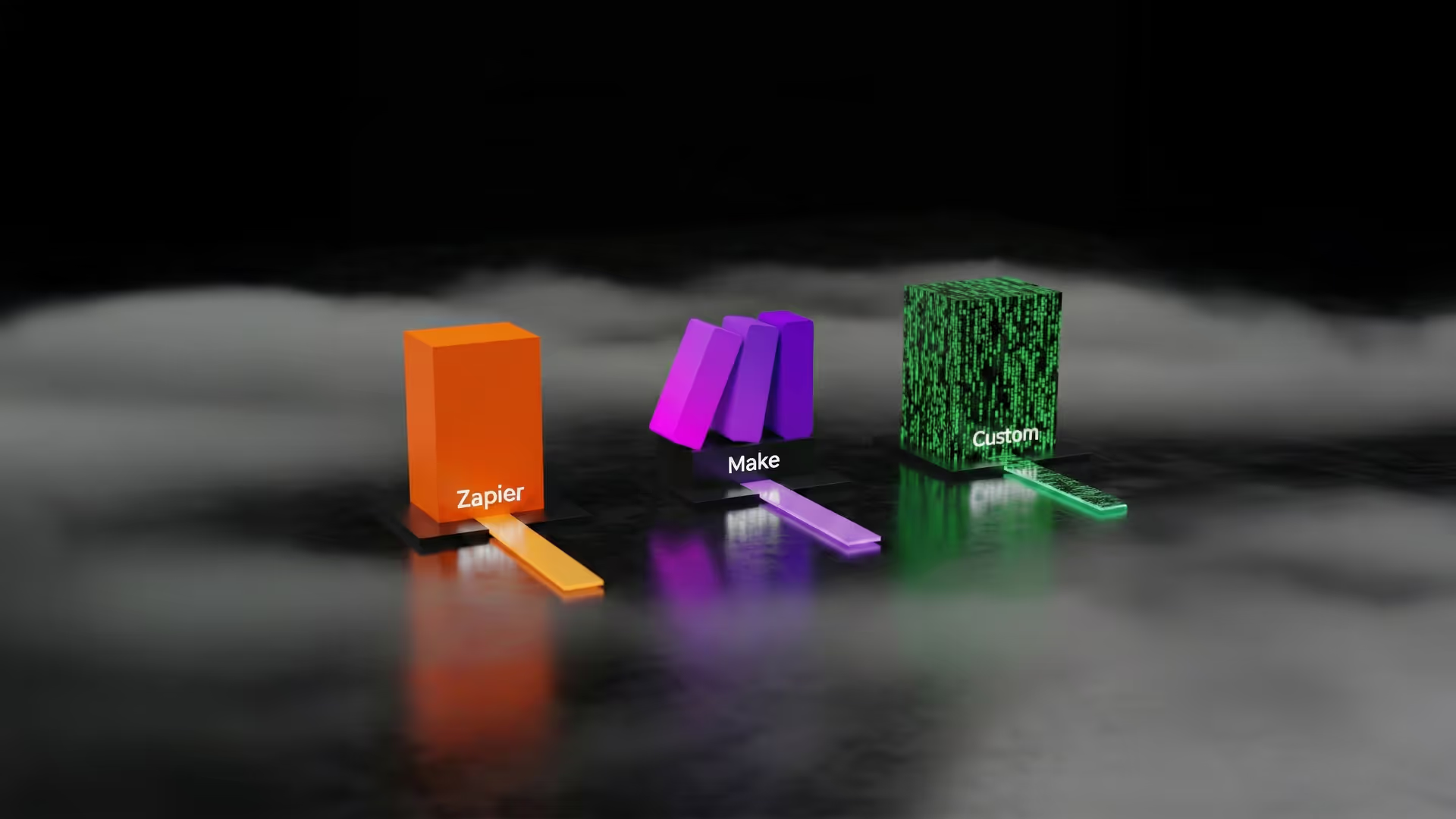
If you're trying to decide between building automations yourself or connecting existing tools, start with our detailed comparison of Zapier vs Make.com vs custom solutions. And if you need the strategic context for how these tools fit into a broader AI transformation, read our CEO's guide to AI transformation.

How I Evaluate Tools

Three criteria, equally weighted:

  1. ROI per dollar spent. How much time or money does this save versus its monthly cost?
  2. Ease of adoption. Can a non-technical team member use it within a week?
  3. Reliability at scale. Does it work consistently when you depend on it daily?

Tools that score high on all three make the list. Tools that are impressive in demos but unreliable in production don't.

The 2026 AI tool stack at a glance

If you want one table that summarizes the picks, here it is. Detailed reasoning for each is in the category sections below.

CategoryTop pick (2026)PriceBest for
Writing + contentClaude Opus 4.8 (Anthropic)$20/mo Pro, $30/mo TeamsLong-form, low-hallucination, code-heavy writing
Image generationNano Banana Pro (Gemini) or GPT Image 2 (ChatGPT)$20/mo (included in Gemini Advanced or ChatGPT Plus)Product shots, brand visuals, all-purpose imagery
Video creationRunway ML$12/mo Standard, $28/mo ProAI-generated b-roll, short-form social
Workflow automationn8n (self-hosted) or Make.comFree self-hosted / $9/mo Make CoreMulti-step automation across tools
AI agentsLangGraph + Claude Opus 4.8$5/M tokens (Claude) + LangSmith $39/userProduction agent orchestration
SEO + contentSurfer SEO$99/mo ($79/mo annual) EssentialOn-page SEO optimization at scale
Customer supportIntercom Fin$0.99 per resolutionTier-1 support automation
AnalyticsJulius AI$20/moConversational data analysis
Email + newsletterBeehiivFree up to 2,500 subs, Scale from $49/mo (price scales with list size)Newsletter publishing + monetization
Meeting + productivityGranola$14/user/mo (Business)AI meeting notes that pair with your workflow

The total monthly cost for the full stack: roughly $200 to $400 per month, depending on which tiers you pick. For a 5 to 50 person business, that is the right ceiling. Below that, you can build with fewer tools. Above that, you are probably ready for custom AI agents and workflow automation instead of stitching SaaS together.

Category 1: Writing and Content Creation

Top pick: Claude (Anthropic) - $20/month Pro, $30/month Teams

Claude is my daily driver for all content work. The 200K context window means you can feed it your entire brand guide, 10 example posts, and a detailed brief in a single prompt. The writing quality is noticeably more natural than GPT-5.5 for long-form content. It follows nuanced instructions better and hallucinates less on factual claims.

Runner-up: ChatGPT Plus - $20/month

Still the most versatile general-purpose AI. Better than Claude for quick tasks, brainstorming, and image generation (via GPT Image 2, OpenAI's replacement for the deprecated DALL-E 3). The custom GPTs feature lets you create specialized assistants for different content types. The browsing capability is useful for research-heavy writing.

Budget option: Google Gemini - Free tier available, $20/month for Advanced

Gemini Advanced (powered by Gemini 3.1 Pro with a 2M token context window) is genuinely impressive for research tasks. The free tier is more capable than most paid tools were 12 months ago. Good enough for email drafts, social media posts, and basic blog outlines.

Skip: Jasper ($49/month), Copy.ai ($49/month). Both are wrappers around GPT with templates. You'll get better results prompting Claude or ChatGPT directly and save $30/month.

Category 2: Image Generation

Top pick: Nano Banana Pro (via Gemini Advanced) - $20/month, or GPT Image 2 (via ChatGPT Plus) - $20/month

As of May 2026, Google's Nano Banana Pro leads on photorealism, product shots, and brand visuals (highest current benchmark score at 9.50/10). OpenAI's GPT Image 2 (launched April 21, 2026) leads the Image Arena leaderboard by 242 points and is the best all-rounder for editing and in-image text rendering. Both are included in $20/mo consumer subscriptions, which removes the need for a separate image-gen tool for most small businesses.

Runner-up: Midjourney V8.1 - $10/month Basic, $30/month Standard

Midjourney V8.1 (April 30, 2026) is still the pick for cinematic and stylized artistic output. The style consistency across generations is the reason many brand and creative teams keep a subscription, even alongside ChatGPT or Gemini.

Runner-up: ComfyUI (open source) - Free + GPU costs

If you need full control over your image pipeline, ComfyUI with Stable Diffusion or Flux models is unmatched. This is the pick for teams that need consistent product photography, custom-trained models on their brand assets, or high-volume image generation. The learning curve is steep, but the flexibility is infinite.

Cost: Free software, but you need a GPU. Cloud GPU rental runs $0.50-2.00/hour on RunPod or Vast.ai. For regular use, budget $50-150/month.

Budget option: GPT Image 2 via ChatGPT Plus - $20/month (included)

Already paying for ChatGPT? GPT Image 2 (launched April 2026), OpenAI's successor to DALL-E 3 (deprecated May 12, 2026), is included and currently leads the Image Arena leaderboard. For most small-business use cases it removes the need for a separate Midjourney subscription.

Skip: Stock photo subscriptions. AI image generation has made $300/month stock photo plans obsolete for most small businesses.

Category 3: Video Creation and Editing

Top pick: Runway ML - $12/month Standard, $28/month Pro

Runway Gen-4.5 produces the best AI-generated video clips available, with up to 10-second clips (extendable by chaining). For small businesses, the real value is in video editing: background removal, color grading, motion tracking, and upscaling. The text-to-video is impressive for social content but not yet reliable enough for commercial production.

Runner-up: HeyGen - $29/month Creator

If you need talking-head videos at scale (product demos, training content, multilingual versions of your content), HeyGen is the tool. Create an avatar from a 2-minute video of yourself, then generate unlimited variations. A single user can produce dozens of personalized sales videos per week with it.

Budget option: CapCut - Free tier available, $10/month Pro

CapCut's AI features (auto-captions, background removal, AI-generated b-roll) make it the best free video editor for social content. The Pro tier adds longer exports and commercial usage rights.

Category 4: Workflow Automation

Top pick: Make.com - $9/month Core (10,000 ops), $16/month Pro

This is the tool I deploy for almost every small business client. Make.com gives you 10,000 operations per month at $9 compared to Zapier's 750 tasks at $19.99. For complex, multi-step automations, Make's visual builder is more powerful and significantly cheaper at scale.

What I build with it: Lead capture to CRM pipelines, automated invoice processing, social media scheduling workflows, customer onboarding sequences, and internal notification systems. For specific automation ideas you can implement immediately, see our list of AI automation ideas that save 20+ hours per week.

Runner-up: n8n (self-hosted, open source) - Free

n8n is Make.com with no operation limits and full code access. The trade-off is you need to host it yourself (a $5/month VPS handles most small business workloads). n8n is the pick for teams that need custom code nodes, webhook-heavy integrations, or want zero vendor dependency.

Budget option: Zapier - $19.99/month Starter

Zapier is easier to learn than Make.com and has more pre-built integrations (7,000+). For simple, 2-3 step automations under 750 tasks/month, it works fine. It gets expensive fast at scale.

Skip: Microsoft Power Automate if you're not already in the Microsoft ecosystem. The learning curve isn't worth it for small businesses.

Category 5: AI Agents and Assistants

Top pick: Custom-built (LangGraph + Claude Opus 4.8 or GPT-5.5) - $100-500/month

For businesses ready for autonomous AI that takes actions (not just generates text), a custom agent is the way to go. Off-the-shelf agent platforms are still too limited for production use cases. A custom agent built on LangGraph with Claude Opus 4.8 or GPT-5.5 costs $100-500/month in API and hosting and does exactly what your business needs.

Runner-up: OpenAI Agents SDK + Responses API - Pay per use

If you have a developer on your team, the Agents SDK is the fastest path to a functional AI agent. Built-in file search, code execution, and function calling. OpenAI replaced the older Assistants API with this in 2025. Pricing is pure API usage, typically $20-200/month for small business volumes.

Budget option: Botpress - Free tier available

Botpress gives you a visual builder for conversational AI agents. Limited compared to custom builds, but good enough for FAQ bots, appointment booking, and basic lead qualification. No coding required.

Category 6: SEO and Content Optimization

Top pick: Surfer SEO - $99/month ($79/month annual) Essential

Surfer's AI content editor analyzes top-ranking pages and gives you a real-time score as you write. The SERP analyzer and content planner save hours of manual keyword research. I use it for every blog post I publish.

Runner-up: Ahrefs - $99/month Lite

Ahrefs' AI features are relatively new, but the core SEO toolkit (backlink analysis, keyword research, site audit) is still the industry standard. The new AI content grading feature is catching up to Surfer.

Budget option: Google Search Console + ChatGPT - Free

Pull your Search Console data, feed it to ChatGPT, and ask it to identify keyword gaps and content opportunities. It's not as polished as Surfer, but it costs nothing and works surprisingly well for basic SEO strategy.

Category 7: Customer Support

Top pick: Intercom Fin - $0.99/resolution

Fin is the best AI customer support agent available off the shelf. It learns from your help center, previous conversations, and custom training data. The per-resolution pricing means you only pay when it actually solves a customer's problem. Most businesses see 50-70% of tier-1 tickets resolved without human intervention.

Runner-up: Crisp - $25/month Pro (includes AI)

For small businesses that want live chat, knowledge base, and AI assistance in one affordable package, Crisp is excellent. The AI isn't as sophisticated as Fin, but at $25/month versus $0.99/resolution, it's far cheaper at lower volumes.

Budget option: Tidio - Free tier available, $29/month with AI

Tidio's AI chatbot handles basic FAQ automation and live chat handoff. Good enough for businesses getting under 100 support conversations per month.

Category 8: Analytics and Business Intelligence

Top pick: Julius AI - $20/month

Upload a CSV or connect a data source, and ask questions in plain English. Julius generates charts, statistical analyses, and insights without requiring you to write SQL or Python. I use it with clients who need quick data analysis without hiring a data analyst.

Runner-up: ChatGPT Advanced Data Analysis - $20/month (included with Plus)

ChatGPT's code interpreter handles data analysis, visualization, and even predictive modeling. Upload your spreadsheet, ask a question, get a chart. It's included with your Plus subscription.

Budget option: Google Looker Studio + Gemini - Free

Looker Studio for dashboards, Gemini for interpretation. Not as clean as Julius, but free and surprisingly capable for basic reporting needs.

Category 9: Email Marketing

Top pick: Beehiiv - Free up to 2,500 subscribers, Scale from $49/month (price scales with list size)

Beehiiv's AI writing assistant generates subject lines, email drafts, and A/B test variations. The platform itself is built for newsletters and has the best deliverability rates in the category. The free tier is genuinely usable.

Runner-up: Mailchimp - Free up to 500 contacts, $13/month Essentials

Mailchimp's AI features (subject line helper, send time optimization, content suggestions) are solid additions to an already proven platform. Better for transactional and e-commerce email than Beehiiv.

Budget option: Claude + any email platform - $20/month

Honestly, writing emails with Claude and sending them through any basic email tool (Mailchimp free tier, Brevo, SendGrid) produces better results than most AI email features. The AI features in email platforms are often mediocre.

Category 10: Meeting and Productivity

Top pick: Granola - $14/user/month (Business)

Granola is the best AI meeting note-taker I've used. It records, transcribes, and summarizes meetings with action items automatically. The summaries are actually useful, not just raw transcripts.

Runner-up: Otter.ai - $8.33/month Pro

Otter does real-time transcription with speaker identification and integrates with Zoom, Teams, and Google Meet. The AI summaries are solid and the search across past meetings saves hours.

Budget option: Google Meet built-in transcription - Free with Workspace

If you're on Google Workspace, the built-in transcription and AI summary features are now good enough for most use cases. Not as polished as Granola, but free.

The Total Stack: What I Actually Use Daily

Here's my personal daily toolkit and what it costs:

  • Claude Pro: $20/month (writing, coding, analysis, everything)
  • Make.com Pro: $16/month (all workflow automation)
  • ComfyUI on RunPod: ~$80/month (image generation for client projects)
  • Midjourney Standard: $30/month (cinematic and stylized image generation; for product shots and brand visuals, Nano Banana Pro via Gemini Advanced at $20/month is faster and cheaper)
  • n8n self-hosted: $5/month VPS (complex automations with custom code)
  • Surfer SEO: $99/month ($79/month annual) (content optimization)
  • Granola: $14/user/month (Business) (meeting notes)

Total: ~$250/month for a toolkit that replaces what used to require $3,000+/month in software subscriptions and 20+ hours/week of manual work.

When to Stop Using Tools and Hire an Expert

AI tools are powerful, but they have limits. Here's when you've outgrown the DIY approach:

If you're new to automation in general, our workflow automation fundamentals guide explains the underlying concepts before you commit to a specific platform.

  • Your automations break weekly and you spend more time fixing them than they save
  • You need tools to talk to each other in ways that no-code platforms can't handle
  • Your data is sensitive (medical, financial, legal) and you need proper security architecture
  • You're spending 10+ hours/week managing AI tools instead of running your business
  • Your competitors are pulling ahead with custom AI that off-the-shelf tools can't replicate
  • You need an AI agent that takes autonomous actions, not just generates content

At that point, the ROI of hiring an AI consultant or agency exceeds the ROI of another tool subscription. A $5,000 custom automation that runs reliably for 2 years beats a $200/month tool that needs constant babysitting.

My Recommendation by Business Size

Solo entrepreneur ($0-50/month budget):

ChatGPT Plus ($20) + Make.com Core ($9) + CapCut Free + Google free tools. Total: $29/month.

Small team, 2-10 people ($50-200/month budget):

Claude Pro ($20) + Make.com Pro ($16) + Midjourney Basic ($10) + Surfer SEO ($99) + Crisp ($25). Total: $170/month.

Growth business, 10-50 people ($200-500/month budget):

Full stack above plus: n8n self-hosted ($5) + Intercom Fin (~$100-300 based on volume) + Julius AI ($20) + Granola ($14/user/month). Total: $350-500/month.

Start small. Add tools only when you've maxed out the ones you have. The biggest waste I see in small businesses is paying for 12 AI tools and using 3 of them.

Keep Reading

For a deep dive on the automation platform decision specifically, read our head-to-head comparison of Zapier vs Make.com vs custom automation. If you want to understand how AI-powered content fits into your marketing strategy, explore our guide on AI-powered SEO strategies. For the big-picture view on how all these tools fit into a transformation strategy, start with The CEO's Guide to AI Transformation. And if you're ready for custom automation that goes beyond what off-the-shelf tools can handle, explore our automation services.

Frequently Asked Questions

What is the best AI tool for a small business in 2026?+
There is no single best tool. The right stack depends on what you do. For writing, Claude Opus 4.8. For images, Nano Banana Pro (Gemini) or GPT Image 2 (ChatGPT). For video, Runway ML. For automation, n8n or Make.com. For agents, LangGraph plus an LLM API. Most small businesses end up with 4 to 8 tools across these categories, totaling $200 to $400 per month. The mistake is buying tools without a clear job to be done. Pick the work you want to automate first, then pick the tool.
How much should a small business spend on AI tools per month?+
For a 5 to 50 person business, $200 to $400 per month covers a complete stack across writing, images, video, automation, SEO, support, and analytics. Below $100 a month, you are limited to 2 to 3 tools. Above $1,000 per month, you are usually ready for custom agents rather than SaaS. The right test: every tool you pay for should save more time per month than its cost in labor-equivalent terms.
Which AI tools have the highest ROI for small businesses?+
Customer support automation (Intercom Fin at $0.99 per resolution typically saves 60% of tier-1 support cost). Workflow automation (n8n or Make.com pays back within a month if you have 5+ repetitive tasks). Writing assistance (Claude or ChatGPT cuts content production time by 50-70%). The lowest-ROI tools tend to be the flashier ones: AI-generated video for marketing, image generation for non-design teams. They are fun, but the per-dollar return is lower than the boring automation picks.
Should I use ChatGPT or Claude for business writing?+
Claude Opus 4.8 is the better default in 2026 for business writing. Lower hallucination rate, better at long-form structure, better at staying on-brand once you set the voice. GPT-5.5 wins for code-heavy writing (technical docs, IDE-integrated work) and ultra-long-context summarization (500K+ tokens). For 80% of small-business writing (blog posts, emails, proposals, social), Claude is the pick. We use Claude Opus 4.8 for most of our own content production.
Is n8n better than Zapier or Make.com?+
Depends on the workflow. n8n is self-hosted (free if you host, ~$20/month if managed), gives you the most control, and has a strong community. Make.com is the cleanest visual editor, best for teams that prefer drag-and-drop. Zapier has the biggest app ecosystem but is the most expensive at scale. For us: n8n for anything that handles sensitive data or needs custom logic; Make.com when the team prefers visual; Zapier only for one-off connections to apps the others do not support. See our [n8n vs Make vs Zapier 2026 comparison](/blog/n8n-vs-make-vs-zapier-2026/) for the full breakdown.
Do I need custom AI agents or can I just use SaaS tools?+
Start with SaaS. If you can solve the workflow with Make.com plus Claude API plus a webhook, do that. The math for custom agents only makes sense when: (1) the workflow has 5+ decision points that need AI judgment, (2) you are processing 1,000+ items per month, (3) the work involves sensitive data that cannot leave your VPC, or (4) you have failed twice with no-code tools. Below those thresholds, SaaS is cheaper and faster. Above them, see our [AI agents and workflow automation](/services/ai-agents-workflow-automation/) service.
Which AI tools are deprecated or risky to start with in 2026?+
GPT-4 and GPT-4o (use GPT-5.5). Pre-Claude-Opus-4 models from Anthropic (replaced by Opus 4.8, April 2026). Stable Diffusion 1.5 / SDXL (replaced by Stable Diffusion 3.5 Large and FLUX.2 for open-source image generation). Any AI tool that shut down, was acquired, or was rebranded in 2025-2026: Sora 2 API (sunsets September 24, 2026, no successor); DALL-E 3 (deprecated May 12, 2026, replaced by GPT Image 2); Galileo AI (acquired by Google May 2025, rebranded as Stitch); Freepik (rebranded as Magnific AI in April 2026 after acquiring the original Magnific in 2024); Helicone (acquired by Mintlify late 2025); OpenAI Assistants API (replaced by Responses API). Before building a workflow on any newer or less-known tool, check whether it is acquisition-bait. Acquired tools often lose features post-acquisition.

Want the best AI tools for your small business without wasting money on the wrong ones? Let's audit your stack.

Explore Automation Services

About the Author

Rajat Gautam

Rajat Gautam

AI Engineer and Consultant

My work goes far beyond recommending tools - I design AI systems that integrate directly into your workflows, eliminate inefficiencies, and deliver measurable business impact. Every solution I build is tailored, practical, and built with long-term scalability in mind.

Need help with this?

Related Topics

AI Tools
Small Business
Automation
Productivity

Related Articles

Ready to transform your business with AI? Let's talk strategy.

Book a Free Strategy Call